
How to Create a Lead Magnet for Free: A Step-by-Step Beginner's Guide
Building an email list can feel impossible when you're starting with no website, no audience, and very little money.
You might understand that email subscribers are valuable, but there's one question that keeps coming up: Why would anyone give you their email address?
That's where a lead magnet comes in.
A lead magnet is a useful free resource that someone receives in exchange for signing up to your email list. It gives people a specific reason to subscribe instead of simply asking them to join another newsletter.
And here's the encouraging part: You don't need expensive software, professional design skills, or a complicated website to create one.
In this guide, you'll learn how to create a lead magnet for free, choose a format that suits your audience, build a signup page, and deliver your resource automatically.
We'll use a beginner affiliate marketing checklist as our running example, but the same process works for many other niches.
What Is a Lead Magnet and Why Does It Work?
A lead magnet is a free resource offered to people who may be interested in your content, business, or services.
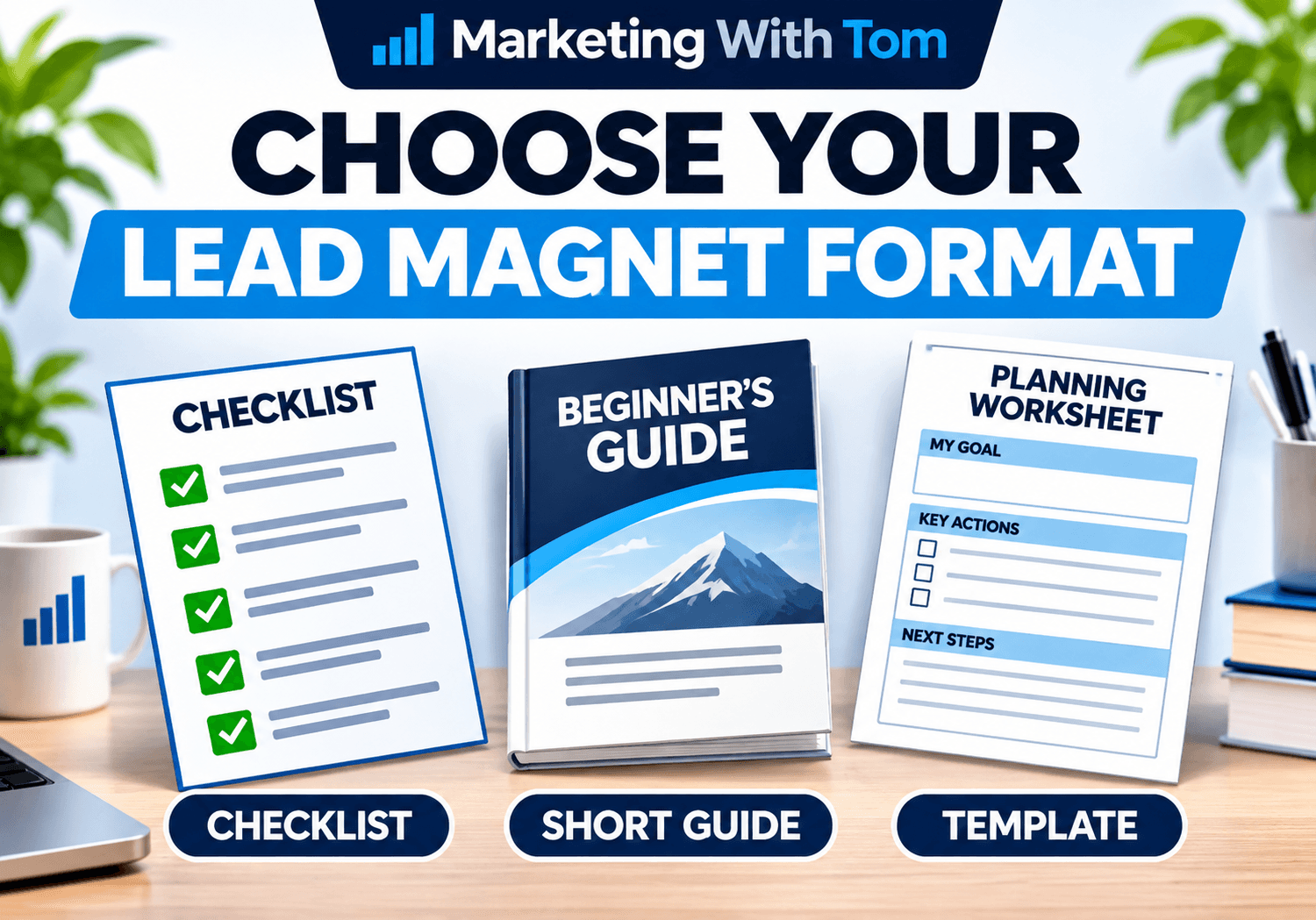
It could be a checklist, short guide, worksheet, template, or collection of helpful resources.
The goal isn't simply to give something away. It's to offer something useful enough that the right person wants to receive it.
How a Lead Magnet Helps You Attract Email Subscribers
Imagine you're teaching beginners how to start affiliate marketing.
You could put a signup form on your page that says, "Subscribe to my newsletter."
Some visitors might subscribe, but others may wonder what they'll actually receive.
Now imagine offering a free Beginner's Affiliate Marketing Setup Checklist instead.
That offer communicates a specific benefit. Someone who feels overwhelmed by the steps involved in starting affiliate marketing has a reason to be interested.
After subscribing, they receive the checklist and can begin using it.
You also have an opportunity to build a relationship through future emails, provided they've agreed to receive them.
A lead magnet doesn't guarantee subscribers or sales. Its value comes from connecting a useful resource with people who genuinely need it.
What Makes a Lead Magnet Worth Downloading
A useful lead magnet usually has three characteristics.
First, it addresses a recognizable problem. Your audience should understand why the resource matters without needing a long explanation.
Second, it offers a manageable result. A checklist that helps someone organize their first affiliate marketing tasks may be more approachable than a massive beginner's encyclopedia.
Third, it delivers what the signup page promises.
If you advertise a practical checklist, subscribers should receive an actual checklist they can use—not several pages of vague advice.
The best starting point is a small resource that solves one problem well.
Step 1: Choose One Specific Problem Your Lead Magnet Will Solve
Before opening Canva or writing a single page, decide who your lead magnet is for and what it will help them accomplish.
This decision shapes everything else.
Identify Your Ideal Subscriber
Start by picturing the person you want to attract.
For example, someone interested in affiliate marketing might be completely new, working with a limited budget, and unsure which tasks to complete first.
That's a more useful description than simply saying your audience is "people who want to make money online."
Consider what your ideal subscriber already knows, what confuses them, and what they want to accomplish next.
You don't need detailed market research to begin. Questions from online communities, comments on relevant articles, and conversations with beginners can reveal recurring concerns.
Look for problems you can explain clearly and address responsibly.
Find a Small Problem You Can Solve Quickly
A common beginner mistake is trying to solve an entire subject with one free download.
For example, "Everything You Need to Know About Affiliate Marketing" is far too broad for a first lead magnet.
A better idea is "Your First Affiliate Marketing Setup Checklist."
The second resource has a narrower purpose. It helps readers organize their initial steps rather than promising to teach an entire business model.
Other examples include a weekly content planning worksheet, an email welcome-message template, or a checklist for reviewing an affiliate landing page.
Choose something your audience can put to use without needing to complete a lengthy course first.
Turn That Problem Into a Clear Lead Magnet Promise
Once you've identified the problem, describe the result in one sentence.
For our example:
"Use this free checklist to organize the essential steps for getting started with affiliate marketing."
That promise is specific without exaggerating the outcome.
Avoid statements such as "Start earning commissions instantly" or "Build a profitable business overnight."
A lead magnet should promise the help it actually provides, not results that depend on many other factors.
You can use your promise later as the foundation for your signup page headline and description.
Step 2: Pick a Free Lead Magnet Format
You don't need to produce a video course or build complicated software.
For most beginners, a simple downloadable document is enough to get started.
Checklists and Cheat Sheets
Checklists are especially useful when your audience needs to complete a sequence of tasks.
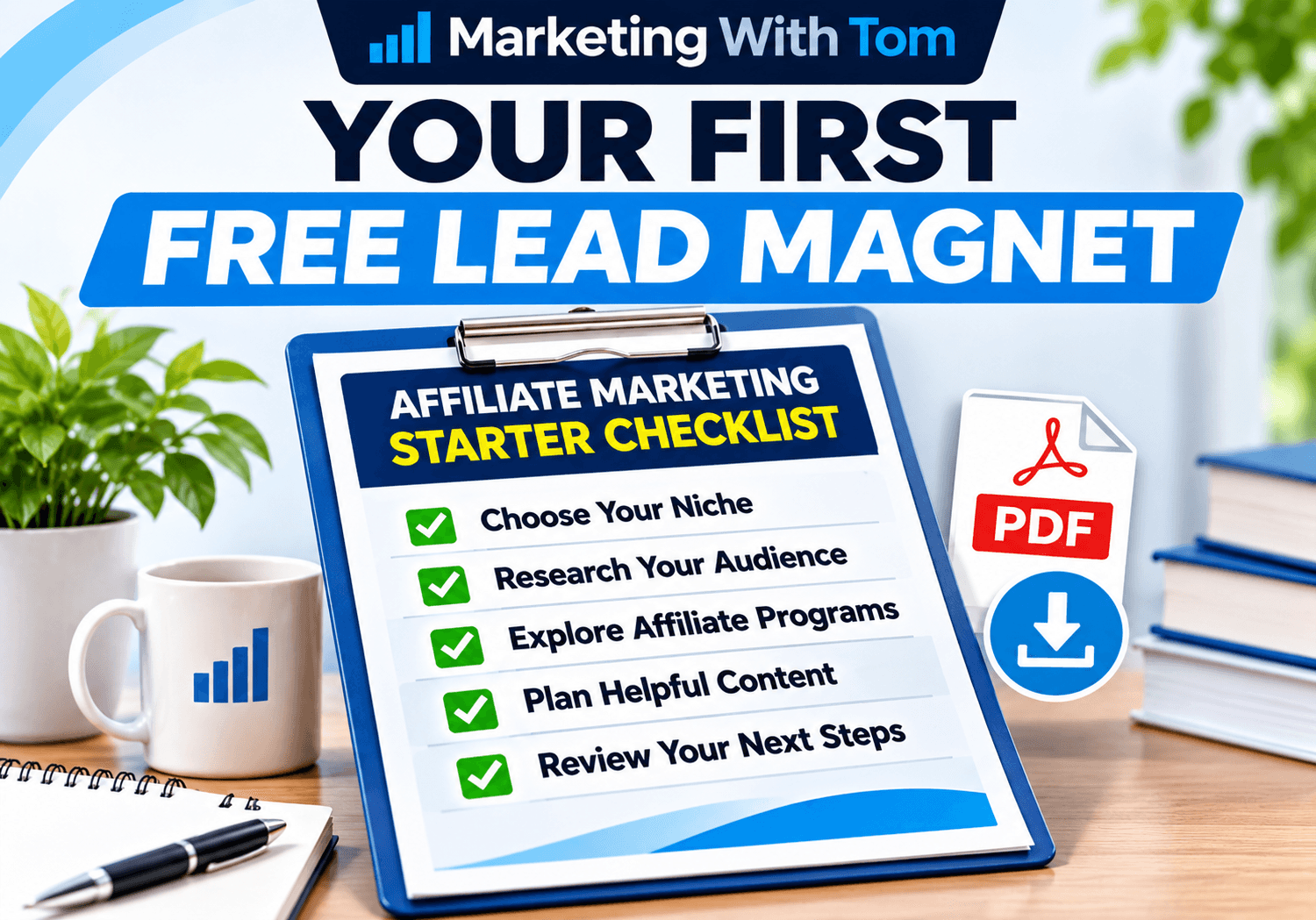
Our affiliate marketing example could include items such as choosing a niche, researching an audience, evaluating an affiliate program, and planning helpful content.
Readers can mark off tasks as they complete them.
Cheat sheets work similarly but usually focus on quick-reference information, such as definitions, formulas, or important reminders.
Both formats are relatively straightforward to create and easy for subscribers to revisit.
Short Guides and Downloadable PDFs
A short guide is useful when a problem requires explanation rather than a simple list.
For example, a guide could explain how to evaluate an affiliate offer or outline the basics of writing a welcome email.
You can create the content in a document editor and export it as a PDF.
PDFs are convenient because readers can open them on many devices without needing access to your original editing file.
Keep the guide focused. A short, helpful document is often a better starting project than a lengthy ebook you struggle to finish.
Templates, Worksheets, and Resource Lists
Templates give readers a starting structure they can adapt.
A content planning template might contain fields for article topics, target readers, keywords, and publication dates.
Worksheets invite readers to complete exercises, such as identifying their ideal subscriber or outlining their first lead magnet.
Resource lists collect useful tools or references around one subject.
If you recommend affiliate products or include affiliate links, disclose the relationship appropriately.
Choose the format that makes the promised result easiest to achieve, rather than the one that looks most impressive.
Step 3: Create Your Lead Magnet Using Free Tools
With your topic and format selected, you're ready to build the resource.
Two accessible options are Google Docs and Canva.
Plan the Content Before You Start Designing
Begin with a simple outline.
For our affiliate marketing checklist, the document might contain a short introduction, a list of startup tasks, and a brief explanation beneath each task.
Possible checklist items include:
- Choose a specific audience and topic.
- Research a problem that audience wants to solve.
- Evaluate relevant affiliate programs and their terms.
- Decide where you'll publish useful content.
- Create a basic plan for promoting that content responsibly.
Notice that these are actions the reader can understand and complete.
Keep explanations concise, and remove anything that doesn't help fulfill your lead magnet's promise.
Writing the content first prevents you from spending too much time decorating a resource that isn't useful yet.
Create Your Lead Magnet With Google Docs or Canva
Google Docs is a practical choice for text-focused resources.
Open a new document, add a descriptive title, organize your content with headings, and use bullet points or numbered lists where appropriate.
You can also add simple tables for worksheets.
Canva is useful when you want more visual control.
You can start with a blank design or choose a suitable free template, then customize the text, spacing, and visual elements.
Be aware that Canva includes premium templates and design elements. Select free content if your goal is to avoid paying.
Neither option requires you to become a professional graphic designer.
Clear information and an easy-to-follow layout matter more than elaborate decoration.
Make Your Lead Magnet Easy to Read and Use
Use descriptive headings and enough spacing between sections.
Avoid squeezing large amounts of text onto a single page.
For a checklist, make each item easy to identify. For a worksheet, provide enough room for someone to write or type an answer.
Use readable font sizes and strong contrast between text and background.
If you include links, label them clearly so readers know where they'll go.
Remember that subscribers may open your resource on a phone. A design that looks attractive on a desktop screen might be difficult to read on a smaller device.
Review the document with usability in mind, not just appearance.
Export and Check Your Finished File
When you're satisfied, download a PDF copy.
Google Docs supports PDF downloads, and Canva offers PDF export options.
Open the exported file before sharing it.
Check that the text is readable, pages appear in the intended order, links work, and nothing has been accidentally cut off.
Give the file a recognizable name, such as affiliate-marketing-starter-checklist.pdf.
You now have a lead magnet ready for delivery.
The next challenge is giving interested readers a way to request it.
Step 4: Set Up a Free Email Signup Page
A finished PDF isn't enough by itself.
You also need a place where interested readers can request the resource and provide their email address.
Fortunately, you don't necessarily need your own website to do this.
Choose an Email Marketing Tool With a Suitable Free Plan
Some email marketing platforms provide hosted signup forms or landing pages.
Mailchimp, for example, offers hosted signup forms and limited automation capabilities on its free plan.
Systeme.io is another option that combines funnels, email marketing, and automation features.
Free plans differ in subscriber allowances, email limits, automation features, and other restrictions. These details can change, so check the provider's current documentation before committing.
For your first lead magnet, focus on three capabilities: collecting subscribers, delivering the resource, and managing your list responsibly.
Don't choose software simply because it has the longest feature list.
Choose something you can understand and maintain.
Write a Simple Signup Page That Explains the Benefit
Your signup page doesn't need to be complicated.
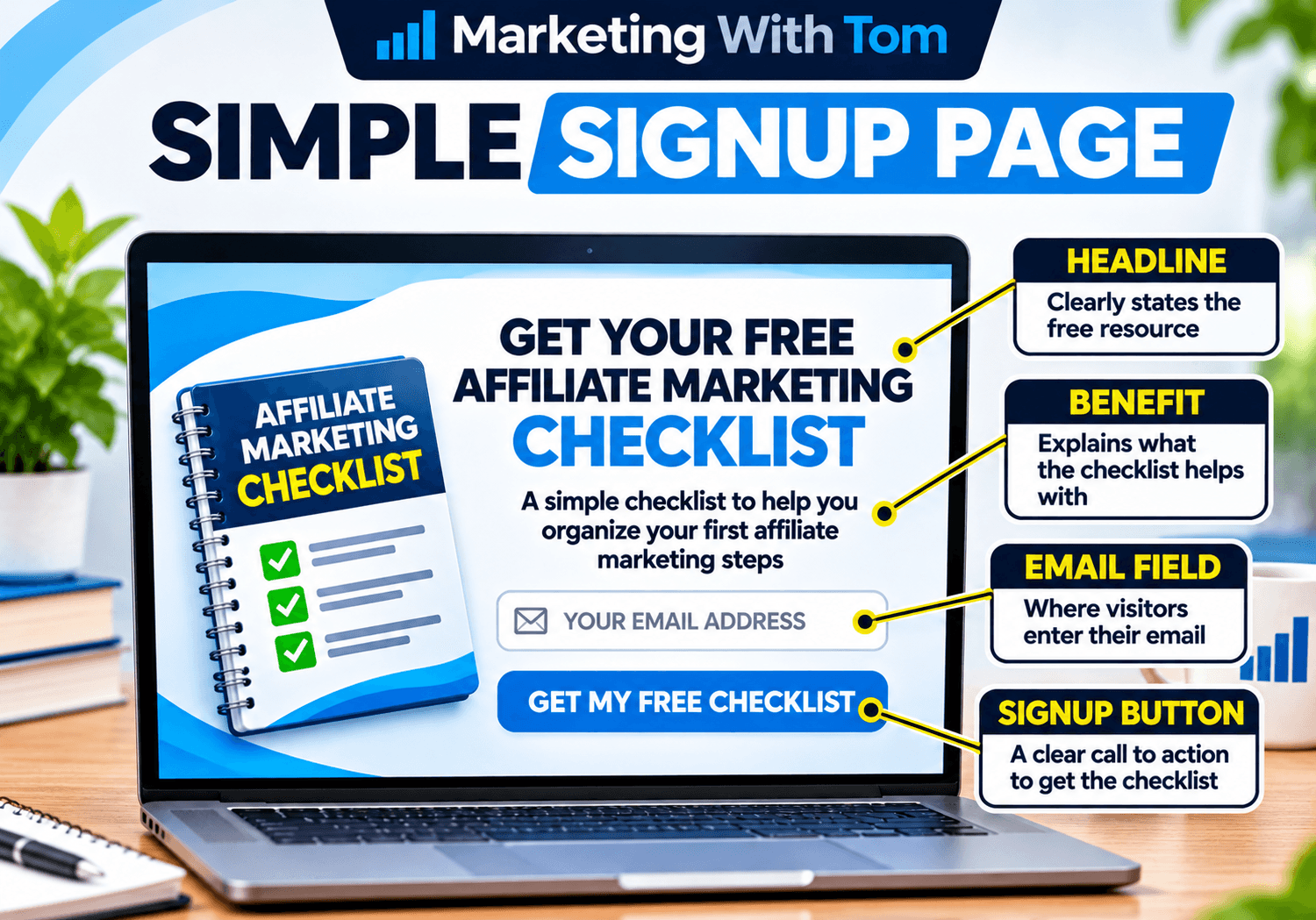
Start with a headline that explains what the visitor will receive.
For our example:
Get Your Free Beginner's Affiliate Marketing Setup Checklist
Then add a short description:
"Organize your first affiliate marketing tasks with a simple checklist designed for beginners."
Include a clear signup button, such as "Send Me the Free Checklist."
You can also briefly explain what's inside the resource.
Avoid promising income, guaranteed results, or benefits your document doesn't actually provide.
A simple page with a specific offer is a sensible starting point. You can improve the wording later as you learn more about your audience.
Connect Your Signup Form to an Email List
Inside your chosen email marketing platform, create or select the list where subscribers will be stored.
Then connect your signup form to that list using the provider's instructions.
Make sure visitors understand what they're signing up for.
If you plan to send ongoing educational or promotional emails, explain that clearly and obtain any permission required by applicable laws and your provider's policies.
Some platforms also offer confirmation emails or double opt-in settings.
These can affect when a person becomes an active subscriber and when your delivery automation runs.
Before promoting your page, confirm that the form sends subscriber information to the correct destination.
Step 5: Deliver Your Lead Magnet Automatically
You don't want to manually email every new subscriber.
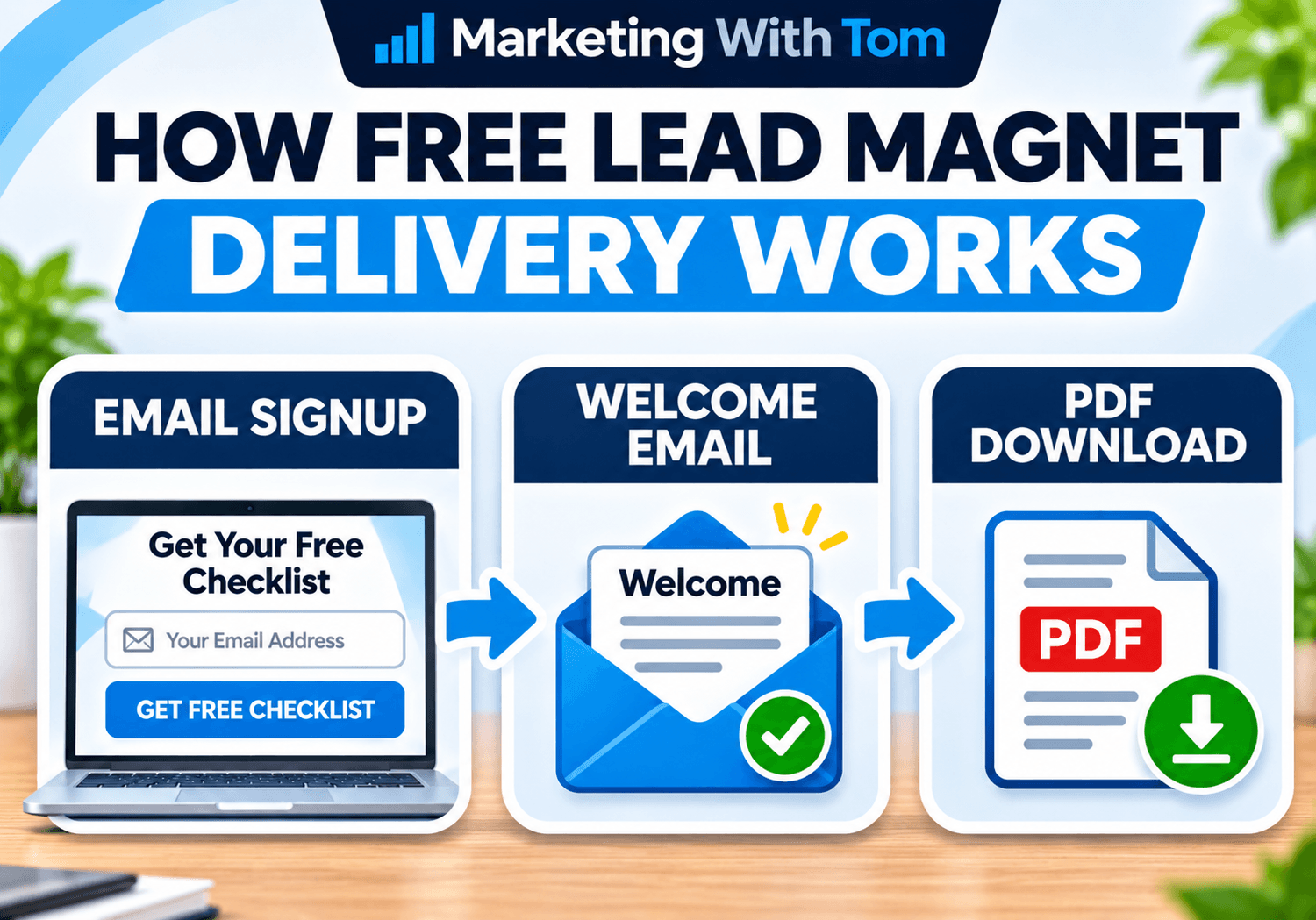
An automated welcome email makes the process easier to manage.
Create a Welcome Email With the Download Link
First, place your finished PDF somewhere subscribers can access it.
Depending on your platform, this might be a supported file-hosting location or a properly configured shared file link.
Then create a welcome email that includes the download link.
For example:
Subject: Here's Your Free Affiliate Marketing Checklist
"Thanks for requesting the Beginner's Affiliate Marketing Setup Checklist!
You can access your free checklist using the link below.
I hope it helps you organize your next steps."
Follow that message with the actual download link.
Keep the email straightforward. Subscribers requested a resource, so make it easy for them to find it.
Make Sure New Subscribers Can Access the File
A download link isn't useful if the subscriber encounters a permission error.
If you're using a cloud storage service, check the sharing settings carefully.
The file should be accessible to intended recipients without exposing unrelated documents or private account information.
Don't assume that a link works just because it opens while you're signed into your own account.
You should also avoid giving subscribers editing access to your original document unless that's intentionally part of the resource.
For a typical PDF checklist, read-only access or a downloadable copy is more appropriate.
Test the Entire Signup and Delivery Process
This is one of the most important steps.
Open your signup page as a visitor would and submit a test email address that you control.
Check whether the signup succeeds and whether the subscriber appears in the correct list.
Then verify that the welcome email arrives, allowing for any confirmation steps or sending delays.
Open the download link and make sure the file is accessible.
Repeat the test on a mobile device if possible.
If something fails, work backward through the process: signup form, list connection, automation trigger, welcome email, and file permissions.
A working subscriber experience matters more than launching quickly with a broken download.
Step 6: Share Your Lead Magnet Without Paying for Ads
Once everything works, you can begin introducing your lead magnet to people who might find it useful.
You don't need to purchase advertising to start.
However, organic promotion still requires time, relevant content, and patience.
Add Your Lead Magnet to Relevant Blog Content
If you already have a blog, look for articles that address problems related to your lead magnet.
For example, a beginner affiliate marketing checklist could fit naturally within an article explaining how to start affiliate marketing without a website.
You might mention the checklist after explaining the initial setup process.
That placement makes sense because the free resource helps readers act on what they've learned.
Avoid inserting the same signup offer into every article regardless of topic.
A relevant offer is more helpful than a repetitive promotion.
If you don't have a website, you can still share a hosted signup-page link where appropriate.
Share It Through Helpful, Relevant Online Content
You can introduce your lead magnet through educational social posts, relevant discussions, or helpful content published on platforms you already use.
For example, you might write a short post explaining three common mistakes beginners make when choosing affiliate programs.
If your checklist genuinely helps readers organize their next steps, you can mention it naturally.
Follow community rules and avoid dropping promotional links into unrelated conversations.
Focus on helping people first.
Over time, you can observe which topics attract interest, which signup pages receive visitors, and whether subscribers find the resource useful.
Those observations can help you improve both the lead magnet and the content promoting it.
Common Lead Magnet Mistakes Beginners Should Avoid
Creating a lead magnet is relatively straightforward, but a few mistakes can make the experience less useful for subscribers.
Making the Resource Too Broad or Complicated
Trying to cover everything about your niche often produces an unfocused document.
A beginner who needs help choosing an affiliate marketing niche may not want a 50-page guide covering every possible online business strategy.
Keep your resource focused on the problem you identified in Step 1.
You can always create additional lead magnets later.
Promising More Than the Lead Magnet Delivers
Your headline should accurately describe what readers receive.
If you offer a checklist, don't advertise it as a complete training program.
If the resource helps someone plan their first steps, don't promise that it will generate commissions.
Trust begins with setting realistic expectations and fulfilling them.
Forgetting to Test the Subscriber Experience
A beautifully designed lead magnet won't help if subscribers never receive it.
Broken forms, incorrect automation settings, inaccessible files, and confusing welcome emails can all interrupt delivery.
Test the process before sharing the signup page widely, and check it again after making significant changes.
That small amount of preparation can prevent unnecessary frustration.
Frequently Asked Questions
Can I Create a Lead Magnet Without a Website?
Yes. You can create a downloadable resource using Google Docs or Canva and use an email marketing platform that provides a hosted signup page.
You'll still need a suitable way to collect email addresses and deliver the resource, but owning a separate website isn't always necessary.
What Is the Easiest Lead Magnet to Make as a Beginner?
A checklist is often one of the simplest formats.
Choose a specific task your audience wants to complete, break it into manageable steps, and arrange those steps in a readable document.
A checklist doesn't require advanced design skills or a large amount of content.
Do I Need Canva Pro to Create a Lead Magnet?
No. Canva offers free design features and PDF export options.
You can create a lead magnet using eligible free templates, graphics, and other design elements.
Some content and features require payment, so check what you're using before exporting.
Google Docs is another option if you prefer a simpler document editor.
How Long Should a Free Lead Magnet Be?
There's no required page count.
A one-page checklist may be enough to solve a specific problem, while a short guide or worksheet may need several pages.
Focus on whether the resource delivers its promised benefit clearly.
Adding pages simply to make a download appear more valuable usually isn't necessary.
Can I Use a Lead Magnet for Affiliate Marketing?
Yes. A lead magnet can help attract people interested in the topics you cover as an affiliate marketer.
For example, you could offer a checklist about getting started with affiliate marketing and then share relevant educational emails with subscribers who have agreed to receive them.
If you recommend affiliate products, make appropriate disclosures and avoid misleading claims.
The goal is to build trust through useful information rather than treating every new subscriber as an immediate sales opportunity.
Products / Tools / Resources
The following resources can help you create and deliver your first lead magnet.
- Google Docs: A document editor suitable for checklists, short guides, worksheets, and downloadable PDFs. Google Docs
- Canva: A design platform for creating visually formatted lead magnets. Free and premium content are available. Canva
- Systeme.io: A platform offering funnels, email marketing, and automation features, including a limited free plan. Systeme.io
- Mailchimp: An email marketing platform with hosted signup forms and free-plan features subject to current limits. Mailchimp
- FTC CAN-SPAM Compliance Guide: Official U.S. guidance covering important requirements for commercial email messages. FTC Guide


WRITTEN BY
Tom Kimpton
Founder, Marketing With Tom
Tom Kimpton is the founder of Marketing With Tom, where he shares practical strategies for affiliate marketing, traffic generation, email list building, and making money online. He focuses on testing tools and strategies firsthand and sharing what he learns to help beginners build their online business.
READY FOR THE NEXT STEP?
Build Your Traffic and Email List With the Tools I Use
I’ve put together the resources I use and recommend for generating
traffic, building an email list, and growing an online business.
If you’re looking for a simple place to start, this is it.

Practical strategies for building traffic, growing an email list, and creating an online marketing business.
Start Here
New to online marketing?
Start with practical guides for generating traffic, building your email list, and creating a simple marketing system.
© 2026 Marketing With Tom. All rights reserved.